
Installing IPVoice for Mobile
IPVoice Mobile App
The IPVoice mobile App is a unified communications mobile application that offers businesses soft-phone, user presence, instant messaging, conferencing, and meeting facilities all in one instance.
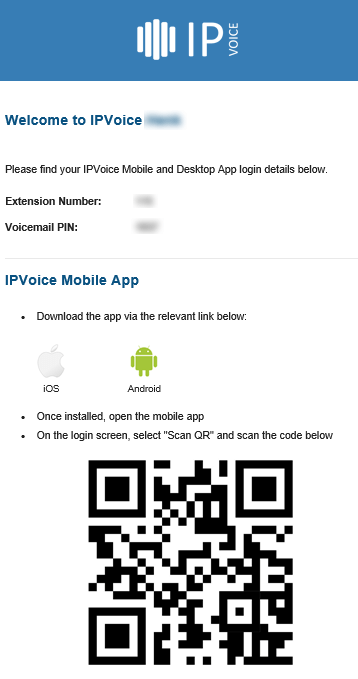
The preferred Method for installing IPVoice applications is through the extensions welcome email, which provides all login details and QR Code.
Welcome Email:
The welcome email generates all of the users details that they require to download the app from either Google Play Store or Apple App Store and log into the app.
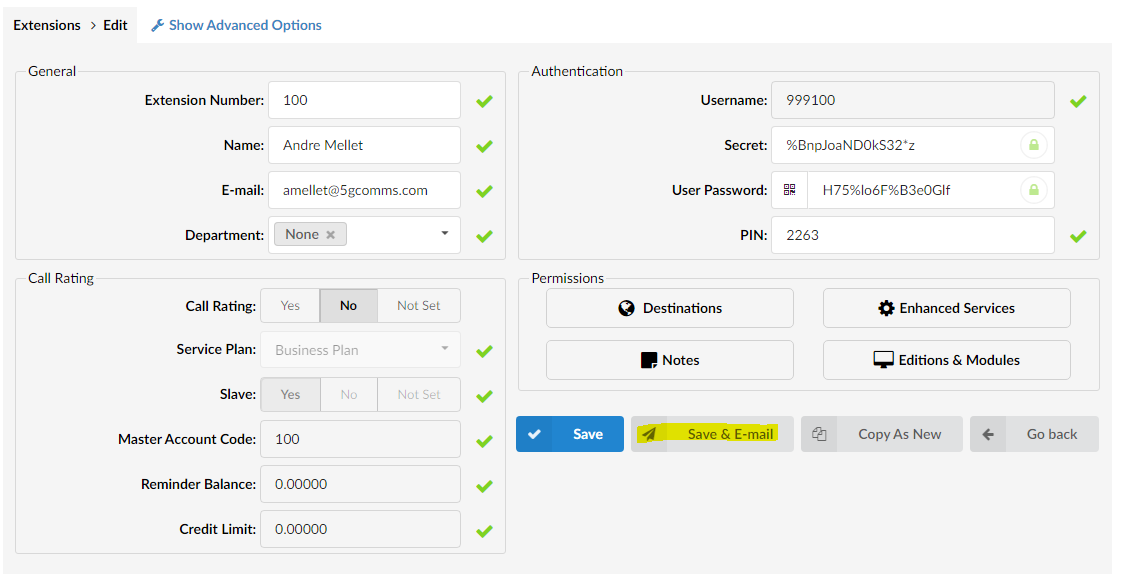
A new welcome email can be generated by pressing the “Save & E-mail” button (may require a User Password reset)
Installation:
Step 1 : Download the App from the app store.
IOS : Apple App Store
https://apps.apple.com/app/id1597937708
Android: Google Play Store :
https://play.google.com/store/apps/details?id=uk.ipvoice.communicator
Step 2 : Open the IPVoice app

Step 3 : Click on Scan QR Code
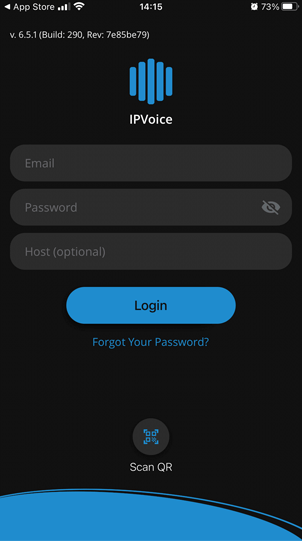
Step 4 : From the “Welcome Email ” scan your unique QR Code.
Please note the QR code can only be used once.

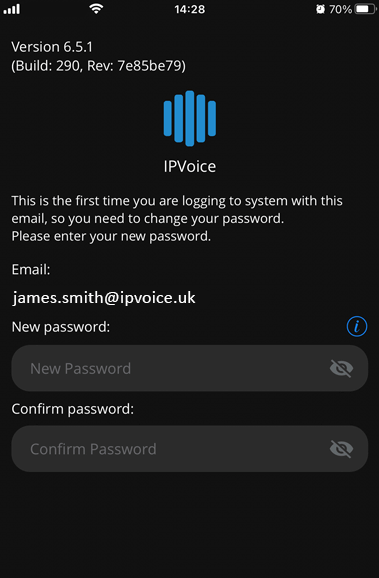
Step 5 : Click Login and you will be asked to change your password and click done to login
TIP : If the customer forgot his password, you will been to regenerate a password as below, which will allow you to send a new welcome email.

Have more questions? Submit a request